
Humanizing AI text means changing how it is written so that it reads like a person wrote it, without changing what it says. You can do it by hand, try it with a prompt, or use a tool. Here is what each one takes.
Mostly evenness. The sentences are similar in length, the same linking words keep appearing, and every paragraph opens with a summary and closes with a lesson. Nothing is wrong with any single sentence. Together they are too regular to be a person. Signs of AI writing goes through these one by one.
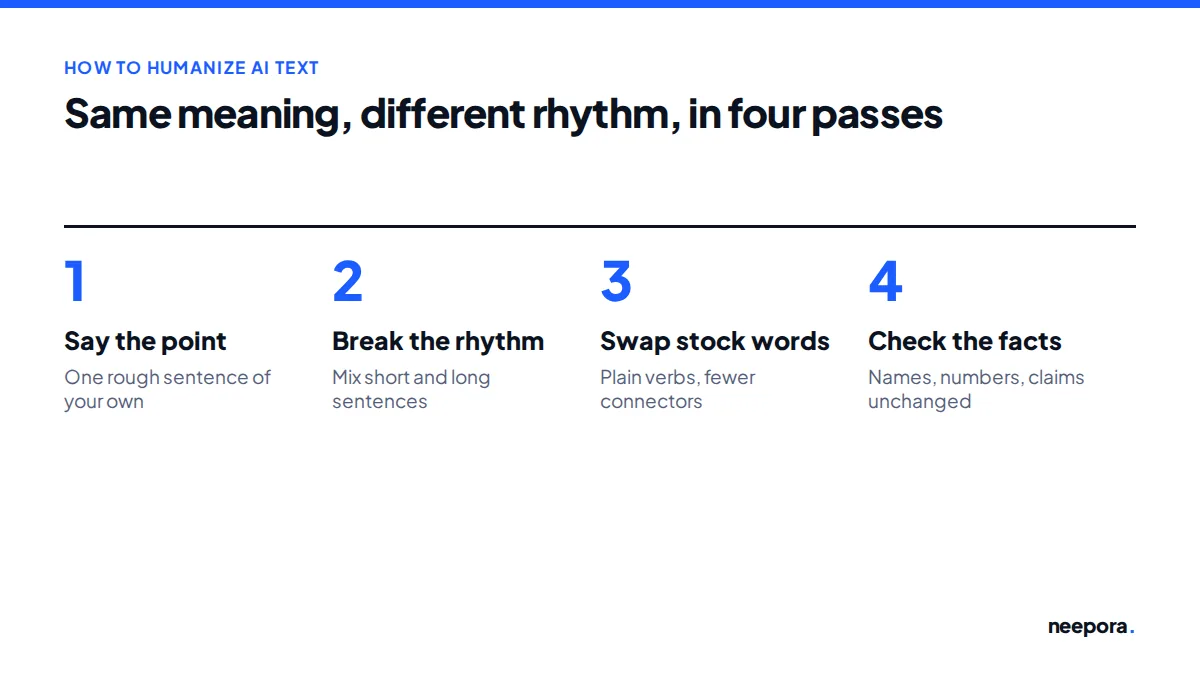
For a short piece this works well. Go through the draft once for each step.
A small example. The AI draft says: "The existing literature on corporate governance has extensively explored mechanisms designed to mitigate agency problems between managers and controlling shareholders." A person would more likely write: "Earlier work on corporate governance has looked closely at the ways firms keep managers and large owners in check." Same claim, plainer words, a different shape.
The catch is time. Doing this properly across a long document is slow, and it is hard to judge your own text.
Partly. Asking a chatbot to sound more human, vary its sentence length or write casually does change the tone. In our tests it rarely changed how the text scored, because the same model is still making the same kinds of choices about what to say and in what order.
A prompt works better when you give it something of yours to start from: your own rough sentences, your own order of points, a paragraph you wrote before. Then it is polishing your writing instead of producing its own. We collected ten prompts that work this way.
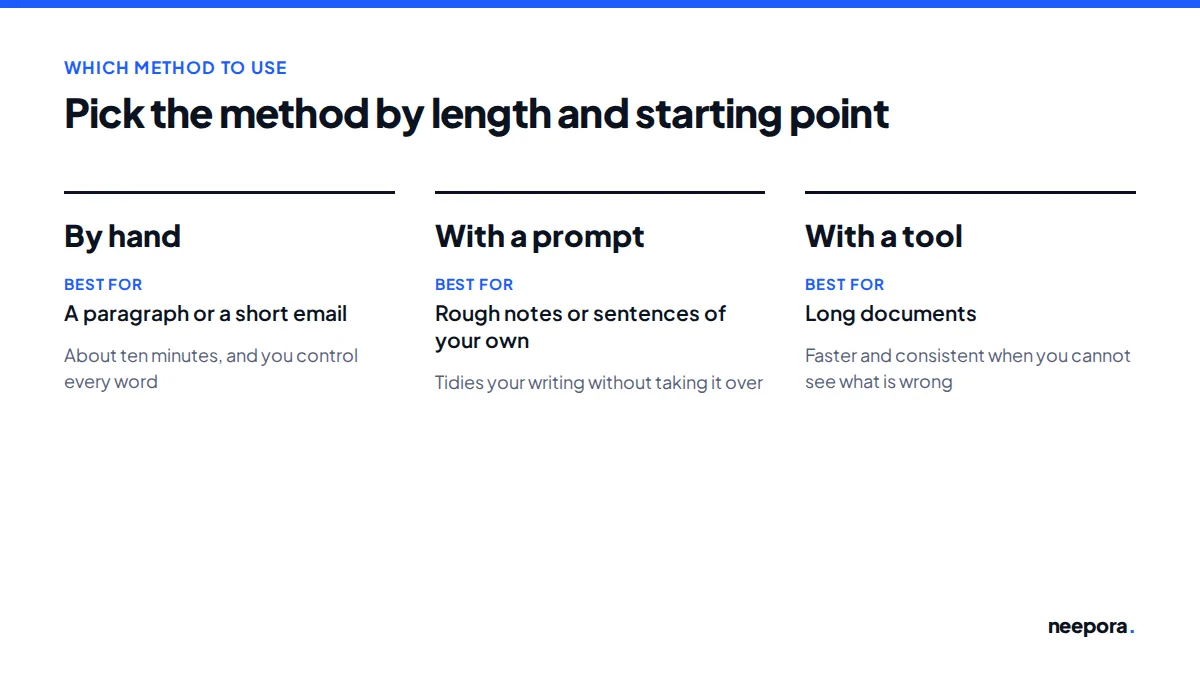
For a paragraph or a short email, do it by hand. It takes ten minutes and you stay in control of every word. If you have rough notes or sentences of your own, a prompt can tidy them without taking over. For a long document, or when you cannot see what is wrong with your own draft, a tool is faster and more consistent.
We studied human language patterns across 10 billion combinations: how people build sentences, where they pause, how they move from one point to the next. neepora rewrites your draft on those patterns, so it reads the way a person writes.
A rewrite that passes a detector but says something else is useless. neepora keeps your facts, numbers, names, quotes and the order of your argument, and checks the result against your original before it reaches you.
Every result goes through our own AI detector. You see the score next to the text.
No invisible characters, no deliberate typos, no swapped letters, no made-up facts.
Whichever method you used, check the text before it goes anywhere.
Try the AI humanizer with 5,000 free words, check a text with the AI detector, or see the before-and-after tests.